Monday, 8 November 2010

Firefox Only: Easily scan files for malware before downloading them with VTzilla


We have all heard of VirusTotal, right? (You know, VirusTotal.com, the website that allows users to run files through 43 anti-malware scanners.) VirusTotal is a very handy service, but in order to use VT (VirusTotal) you need to download a file, then upload it on VT. Ever wish you were able to scan a file with VT before you download it? Well now you can (assuming you have Firefox).
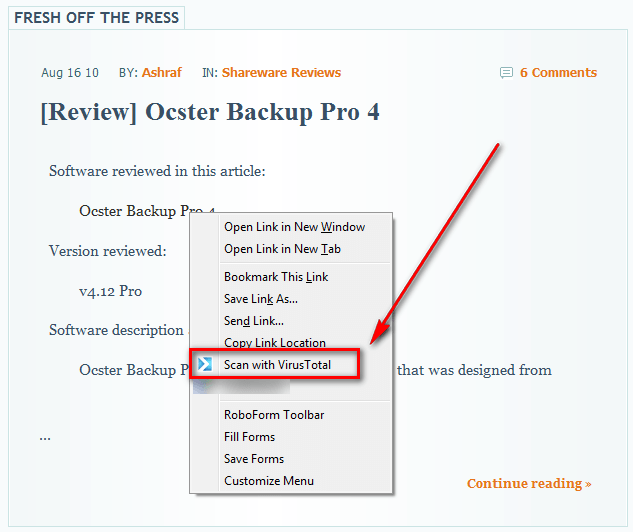
VT has released an add-on for Firefox that allows users to scan files with VirusTotal without having to download the file:
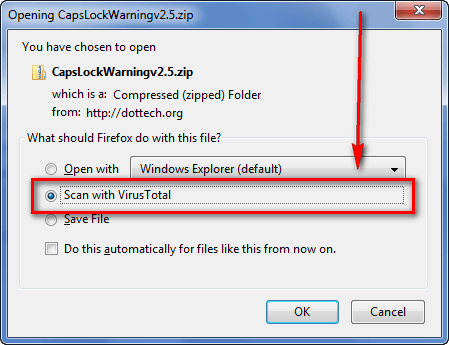
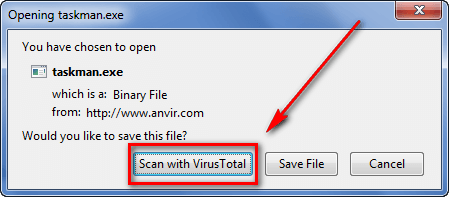
When users opt to scan a file with VirusTotal, two things happen:
  • The URL of the website which you are downloading the file from is scanned using VT's new "URL scanner":
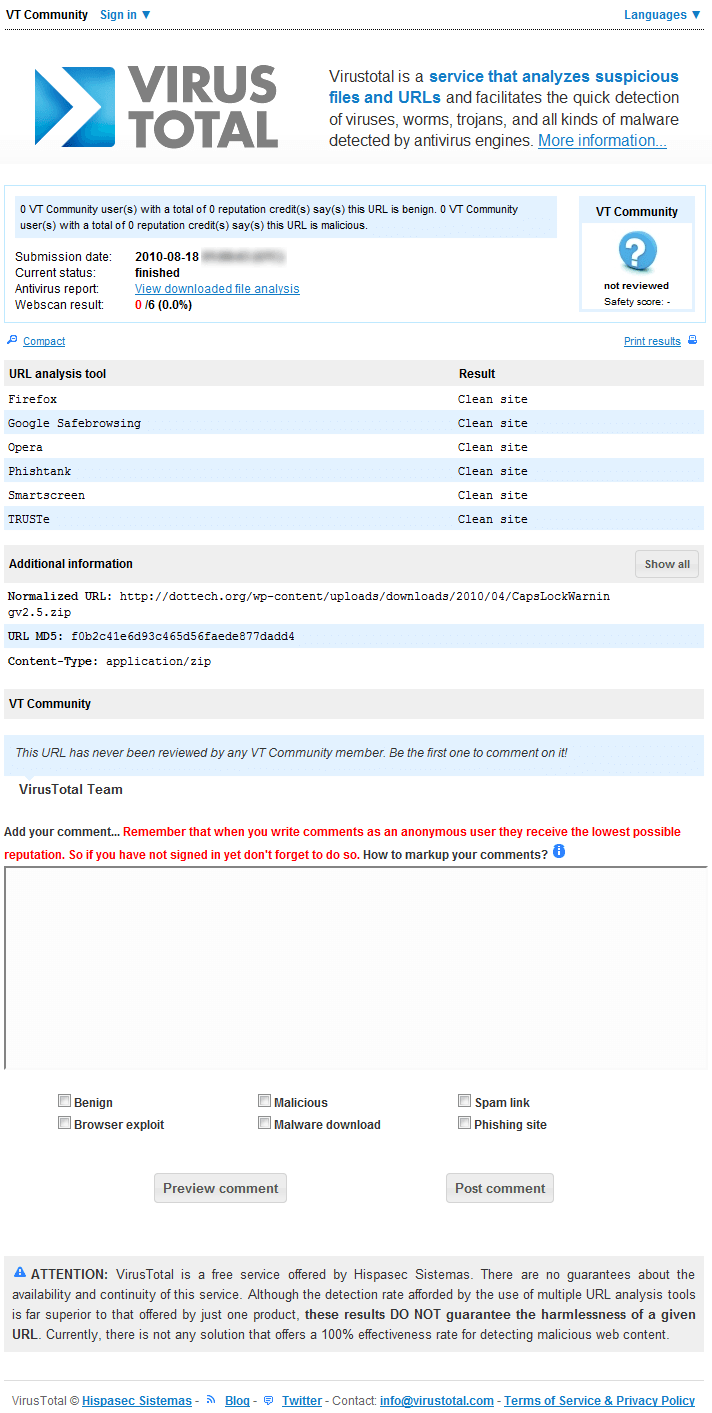
(Click on image to view in full size.)
  • The file is uploaded onto VirusTotal.com and scanned:
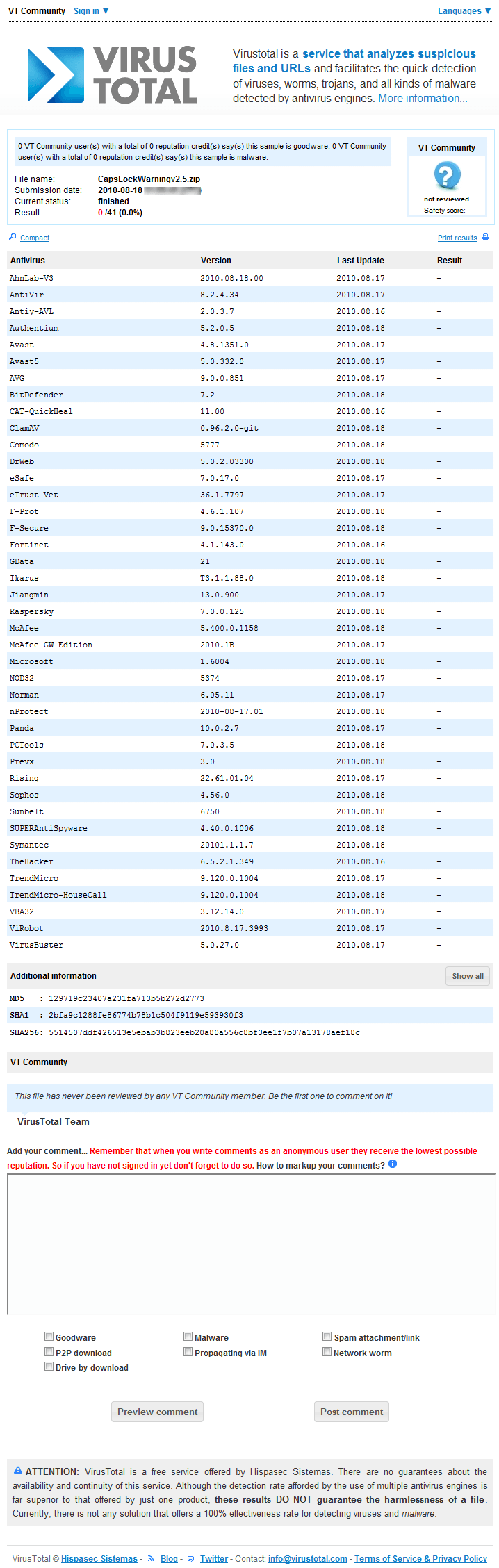
(Click on image to view in full size.)
To try to get users to make use of their new URL scanner, VirusTotal has programmed VTzilla in such a way that when scanning a file, users are first displayed the results of the URL scanner and then have the option to view the results of the file scanner. (Unfortunately there is no way to change this behavior. I hope an option is added in future updates allowing users to view the results of the file scanner first.) To access the file scanner results from the URL scanner results page, click on View downloaded file analysis found on the URL scanner results page:
Other things worth noting regarding VTzilla:
  • VTzilla has the ability to scan URLs, in addition to files (the URL is run through VT's URL scanner):
  • VTzilla comes with an (annoying) toolbar:

This toolbar allows users to 1) Scan the current website you are surfing [via the URL scanner] 2) Search VirusTotal database/community. However, personally, I find this toolbar to be more annoying than useful. Fortunately, you can turn it off easily by going to "View" -> "Toolbars" and unchecking "VirusTotal Toolbar". (You may also right-click on the toolbar and uncheck "VirusTotal Toolbar".)
  • The 20 MB file size limit of VirusTotal.com still applies to files scanned with VTzilla. Any files over 20 MB will simply not produce file scanner results.
  • VTzilla is a new add-on, so it is not yet available in Firefox's add-on repository - it must be downloaded directly from VirusTotal.com. Typically it is always a good security measure to only download add-ons from Firefox's add-on repository, but VirusTotal.com is a trust source so there should be no issues by downloading directly from VT.
That said, you can download VTzilla from the following links:
Version reviewed: v1.0
Supported OS: Any OS that can run Firefox
Special note: VTzilla does not support Firefox 4 Beta yet
VTzilla homepage [direct download]
[via WebWorkerDaily]

Taking USB Attacks To The Next Level


Posted by John Sawyer, Sep 15, 2010 10:36 AM

USB devices have many benign, legitimate uses. But put a USB-based device in the hands of a savvy hardware hacker, and that USB device can go from good to evil in no time.
Fellow Dark Reading blogger Gadi Evron's recent blog about USB-based attacks with keyboards gave an interesting attack scenario of using a hacked keyboard, Notepad, and custom shellcode to exploit a system. But who needs shellcode when you have a keyboard device?
I mentioned a couple of very interesting hardware hacking presentations given this summer that took USB attacks to the next level. One focused on hacking wireless presentation devices that are no more than USB Human Interface Devices (HID) to the underlying system. When you click on the next button on the remote, it sends a "page down" command via the USB HID keyboard interface.
By reversing the wireless protocol used by the wireless presentation devices, an attacker could inject keystrokes into the system, which could open Notepad, type in a script, save it, then choose Run from the Start Menu and execute the script. Ingenious!
Of course, to be successful you could attack someone only during a presentation. Or you could plant one of these devices on a target machine and communicate with it remotely from outside the office to run your code after hours.
Imagine, instead, that you have a small Arduino-based device that works with the Social Engineering Toolkit to deliver payloads via WSCRIPT and PowerShell. The device emulates a USB HID keyboard and can inject keystrokes into the target system like the attack above. Powerful, right?
The bundling of the Teensy Arduino device with the Social Engineering Toolkit (SET) is an awesome attack vector. It's small and easily planted into a USB port when no one is looking. With SET, an attacker (we'll assume a legit penetration tester) can generate a Metasploit payload and the attack code that gets written to the Teensy device. When the device is plugged into the target, it creates a WSCRIPT file that downloads the Metasploit payload and executes it, as seen in this example.
The other example of using the Teensy HID attack was embedding it into a keyboard since many have built-in USB hubs. If you knew which keyboards were in use in a target's environment, then you could walk in pretending to be the computer repair tech, replace the keyboard, and walk out while your attack happens.
The possibilities are endless when you consider what can be done from just a keyboard alone. And, since USB HIDs are cross-platform, so are the attacks that can be performed.